
Signs It's Time to Replace Spreadsheets and Manual Workflows With Custom Software
2026-09-29 · Appsoluty team
Every company that outgrows a spreadsheet insists it happened overnight. It didn't. There are signs it's time to replace spreadsheets with software long before the breaking point, they just get explained away as one-off problems: a missed order, a duplicate invoice, a report that took an extra hour to reconcile this month. Spreadsheets and no-code tools aren't the mistake here. For the first few years of a business, they're often exactly the right tool. The mistake is not noticing when the tool stops matching the business you're actually running now.
Spreadsheets aren't the problem, ignoring the ceiling is
A founder who builds their own intake form, pricing calculator, or scheduling sheet is doing something smart. It's cheap, it's fast to change, and it doesn't require hiring anyone. Most businesses should start this way. The trouble shows up later, when the same spreadsheet that once took an afternoon to build now takes a dedicated person to maintain, and everyone's too busy running the business to ask whether that's normal.
It isn't. Here's what actually signals that a manual process has outlived its usefulness, and what each sign is quietly costing you.
Sign 1: Data lives in silos and nobody fully trusts the numbers
Sales has a spreadsheet. Operations has a different one. Finance reconciles both by hand at month end, and the three numbers never quite agree. Ask someone which version is correct and you'll get a pause before the answer, not because they're hiding something, but because they genuinely don't know without checking three tabs and a group chat.
This is the clearest early sign. When a business runs on one or two spreadsheets, disagreement is rare because there's nowhere else for the data to live. Once it runs on five, ten, or fifteen, each maintained by a different person with their own naming habits, the numbers drift apart on their own. Nobody did anything wrong. The system just wasn't built to keep them in sync.
Sign 2: Manual work is quietly costing real hours every week
The cost here rarely shows up as a single dramatic event. It shows up as an operations lead who copies the same customer record into three different tools every morning, or a scheduler who re-types confirmed appointments from an inbox into a calendar into a spreadsheet, every single day, because none of those systems talk to each other.
Ask that person how long it takes and they'll usually underestimate it, because it's spread across small five-minute tasks instead of one visible block. Add it up over a month, and that kind of manual shuffling alone can easily eat something close to a full extra workday that produced nothing except moving information from one place to another. That's the pattern behind automatic package tracking that reads incoming emails instead of requiring someone to check and update a spreadsheet by hand, freeing that person for work that actually needs a human.
Sign 3: Errors are increasing and customers or partners are noticing
Internal mistakes are annoying. External ones are expensive. A wrong figure in an internal report gets corrected quietly. A wrong figure on an invoice, a double-booked appointment, or a shipment that goes to the old address gets noticed by someone outside the company, and that's a different kind of cost: it's trust.
If you're fielding more "that doesn't match what I was told" conversations than you used to, that's not bad luck. It's a symptom of a process that's grown past what manual entry can reliably track. Paper and spreadsheet logs are especially prone to this, since there's no structural check stopping a wrong entry from going out the door. The same pattern shows up in physical processes too: we've worked on RFID and QR-based access control for entry management, the kind of upgrade a business makes once manually tracking who came and went stops being reliable enough.
Sign 4: You've hit the ceiling of what no-code or low-code can support
No-code and low-code tools are genuinely good at what they're built for: straightforward workflows with a handful of conditions and a small number of integrations. They start to strain the moment your business needs something they weren't designed for, a workflow with a dozen conditional branches, an integration with a system that has no pre-built connector, a scale of records the platform slows down under, or a compliance requirement that demands an audit trail the tool simply doesn't keep.
Regulated or clinical workflows hit this ceiling fastest, because the tolerance for an edge case slipping through is close to zero: the requirement isn't "make this faster," it's "make this handle every edge case correctly, every time, with a record of what happened." We've built a treatment-workflow app for dental providers with exactly that kind of low tolerance for error, where a general-purpose no-code tool would have been the constraint rather than the shortcut.
Sign 5: The process lives in one person's head or one fragile spreadsheet
Every business has at least one process that only works because a specific person remembers all the exceptions. Ask what happens if that person is out sick for two weeks, and if the honest answer is "things slow down a lot" or "we're not totally sure," that's a bus factor problem, not a personnel problem.
Dispatch and scheduling are common places this shows up: someone holds the real logic in their head, and the spreadsheet is just where they jot down the output of a decision only they can make. That's fragile in a way that has nothing to do with how good that person is at their job. We've built a platform connecting vehicle owners with vetted mobile technicians that replaces that kind of ad hoc, one-person coordination with a system anyone on the team can run, so the process survives someone's day off, someone's vacation, or someone leaving entirely.
Sign 6: You keep bolting on more tools instead of fixing the core process
This is the sign that's easiest to miss because each individual decision looks reasonable. A spreadsheet gets a macro. The macro gets a Zapier step. The Zapier step feeds a form tool. The form tool exports into another spreadsheet. Each addition solved a real problem at the time, and each one also added a joint that can break, a login someone has to remember, and a handoff that isn't documented anywhere.
If your stack is genuinely a chain of tools stitched together with automations nobody fully understands anymore, more stitching won't fix it. At some point the honest fix is replacing the core process, not adding another patch to route around it.
What custom software actually replaces, and what it doesn't
Custom software replaces the parts of your process that are pure mechanics: copying data between systems, re-entering the same information, reconciling numbers by hand, chasing down which spreadsheet version is current, and catching errors after they've already reached a customer. It encodes your actual business rules directly, instead of approximating them through a general-purpose tool that wasn't built for your specific edge cases.
It doesn't replace judgment. It doesn't replace the relationships your team has with customers and partners. And it doesn't replace domain expertise, the reason your business works is still the thing only your team knows. Good custom software takes the mechanical weight off that expertise so it can actually get used, instead of being spent on data entry.
How to tell if now is the right time to act
The honest test isn't a feature checklist, it's the cost of doing nothing for another year. Walk through four questions with your team:
How many hours a week does someone spend moving data between tools that could talk to each other directly? How often does a mistake reach a customer or partner instead of staying internal? How much of your current process depends on one person being available, and what happens on the week they're not? And where is your growth plan actually blocked, not by demand, but by a process that can't handle more volume without falling over?
If the answers are vague or uncomfortable, that discomfort is the signal. None of this requires guessing at a dollar figure to know it's worth addressing. It requires being honest about how much time, trust, and risk the current process is already spending, quietly, every week.
FAQ
How do I know spreadsheets are limiting my business?
Look for the pattern, not a single incident: numbers that disagree across tabs, a growing pile of manual re-entry, errors that are starting to reach customers, or a process only one person can run. Any one of these on its own might be a bad week. Several of them showing up together, consistently, is a sign the tool has stopped fitting the business.
What does it cost to keep running manual workflows?
The honest cost isn't a single line item, it's spread across hours spent on repetitive tasks, mistakes that damage trust with customers or partners, and growth that stalls because the process can't handle more volume. It's easy to underestimate because none of it shows up as one dramatic expense. It shows up as a slow, steady drag on time and reliability.
Is no-code enough, or do I need custom software?
No-code is enough for straightforward workflows with a manageable number of conditions and integrations, and plenty of healthy businesses run on it indefinitely. It stops being enough when your workflow has too many edge cases for the platform to model cleanly, when you need integrations the tool doesn't support, when volume outpaces what it can handle, or when you need an audit trail or compliance guarantee it wasn't built to provide.
How much does custom software cost compared to staying manual?
There's no single honest number here, cost depends entirely on the scope of the process being replaced, the integrations involved, and how much of the existing workflow can carry over. What's worth doing is weighing that cost against what staying manual is already costing you in hours, errors, and risk, since that ongoing cost rarely shows up on a balance sheet even though it's real. Any team quoting you a project should be able to walk through that comparison with you directly, not just hand you a price.
Related projects
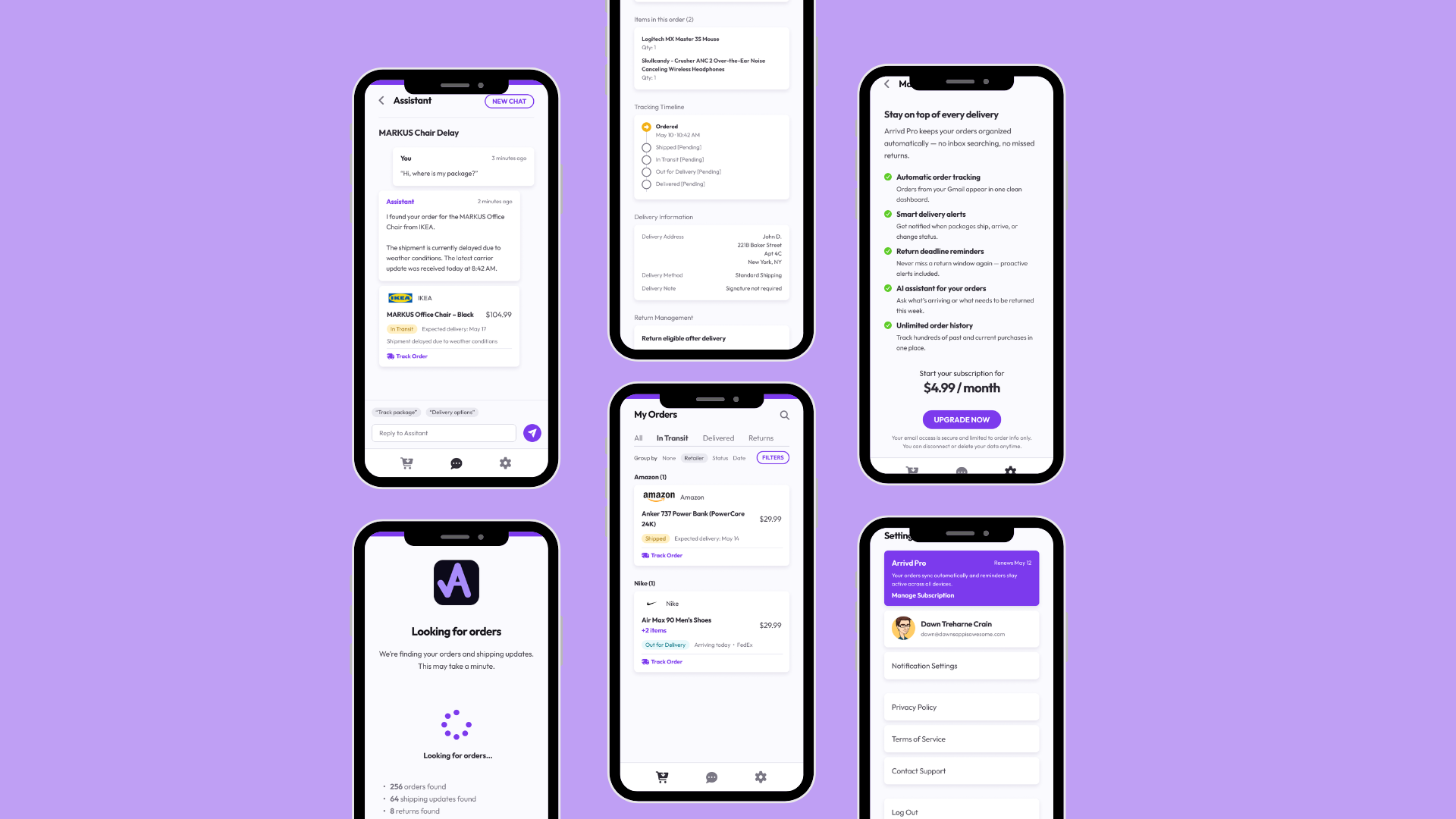
Arrivd
Arrivd is a mobile package tracking app that automatically finds and tracks deliveries by connecting to a user’s Gmail account. Instead of asking users to manually copy tracking numbers from emails, retailer apps, and carrier websites, Arrivd brings all expected packages into one simple, real-time delivery overview.
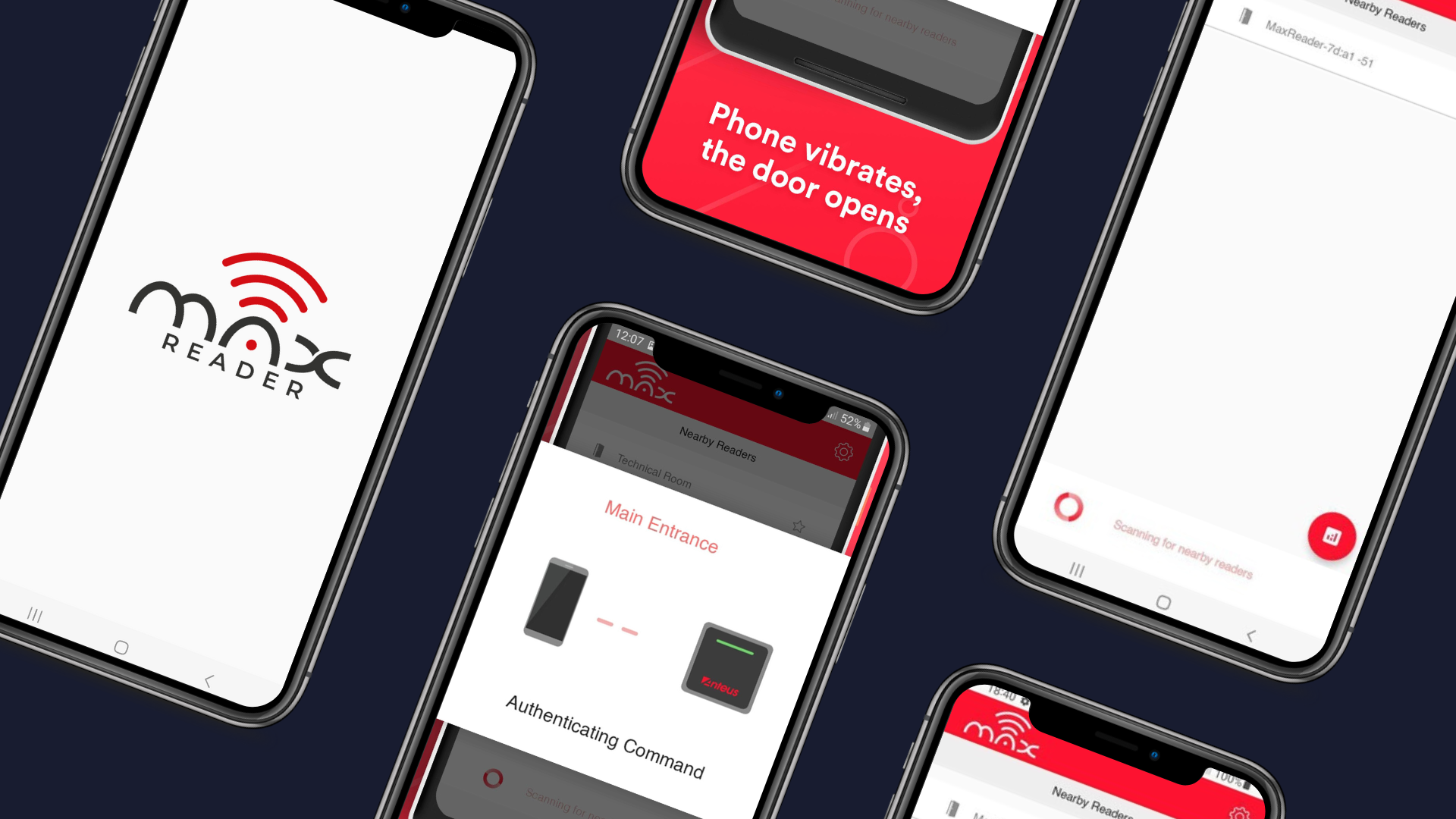
Max Reader | BLE | NFC
MaxReader is a smart access control solution that combines RFID, NFC, Bluetooth Low Energy, and QR code-based identification in one durable reader. It helps businesses manage secure, contactless entry for doors, gates, turnstiles, and other controlled access points through a flexible mobile-supported experience.
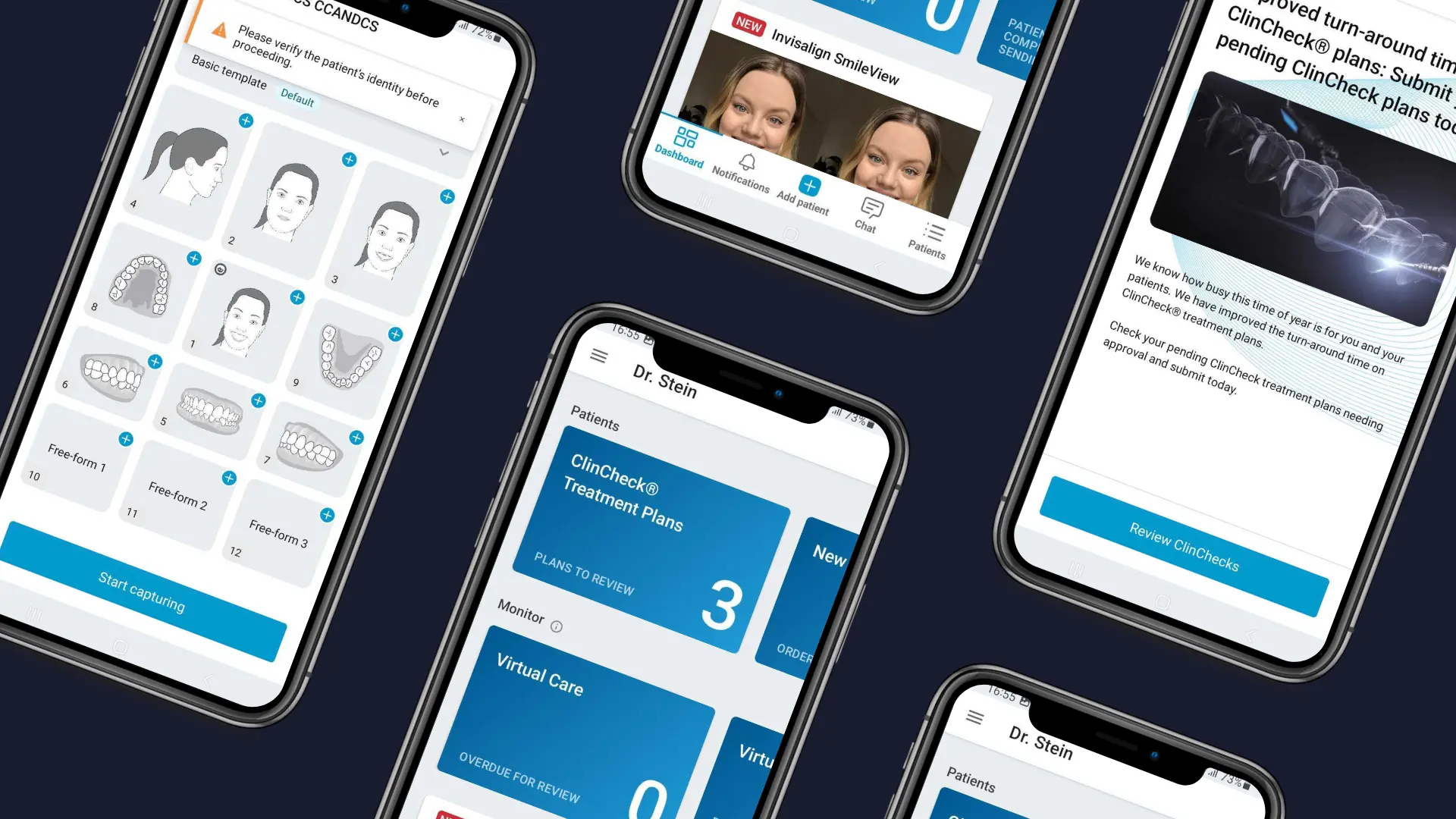
Invisalign | Healthcare app
Invisalign Practice App is a mobile app built for dentists and Invisalign providers to manage key treatment workflows directly from their phone. The app brings daily provider tasks into one place, including patient profile creation, photo capture, treatment monitoring, virtual appointments, alerts, and integration with the Invisalign Doctor Site.
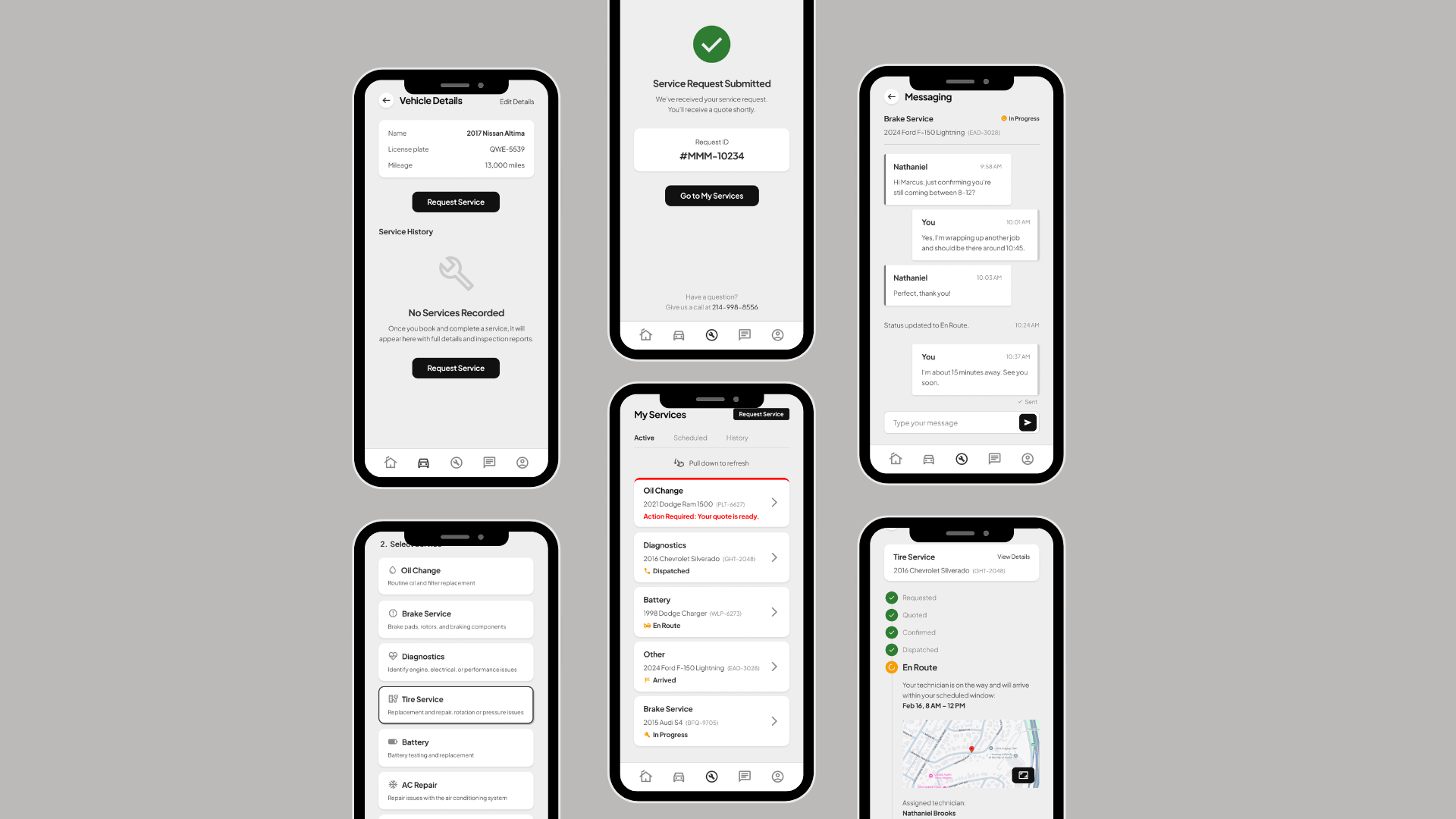
MMM | On-demand mechanics
MMM Mobile Mechanics is a mobile-first automotive service platform that connects vehicle owners in Texas with vetted mobile technicians. The app helps customers request car services, receive quotes, track job progress, message technicians, and handle payments in one place, while giving technicians a clearer way to manage jobs and earnings.